WordPress Security
Detection Modes: Off, Monitor, Block
How the VPN, Proxy, Tor and Datacenter controls work — and the difference between Monitor and Block.
Detection Modes decide how Predax treats each type of risky visitor. Find them under Settings → Protection → Detection Modes.
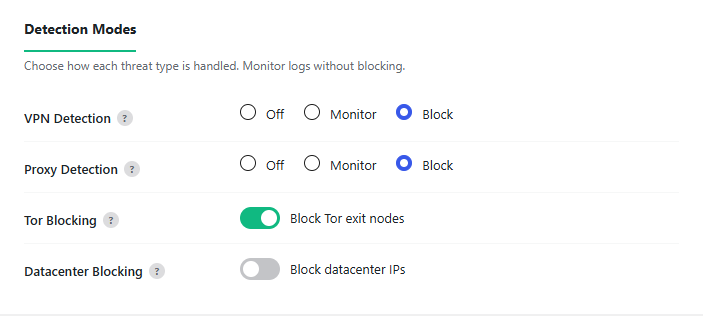
The three settings
VPN Detection and Proxy Detection each have three choices:
- Off — ignore this type entirely.
- Monitor — log it in the Threat Log, but do not block.
- Block — block the visitor.
Tor Blocking and Datacenter Blocking are simple on/off toggles.
Default settings (this trips people up)
| Type | Default |
|---|---|
| VPN Detection | Monitor (logs only — does not block) |
| Proxy Detection | Block |
| Tor Blocking | On (Block) |
| Datacenter Blocking | Off |
So VPN visitors are not blocked out of the box — VPN starts on Monitor because a lot of legitimate visitors use VPNs. To block VPNs, set VPN Detection to Block:

One more thing
Setting a type to Block only matters where Predax actually checks visitors. To block someone simply browsing your site, also turn on Visitor Screening — see Choose what to protect.
Still not blocking? See Why isn't Predax blocking?.