WordPress Security
Risk Threshold explained
What the risk slider does and which preset to choose.
Every IP Predax checks gets a risk score from 0 to 100. The Risk Threshold is the line: any visitor at or above it is blocked. You set it under Settings → Protection → Risk Threshold.
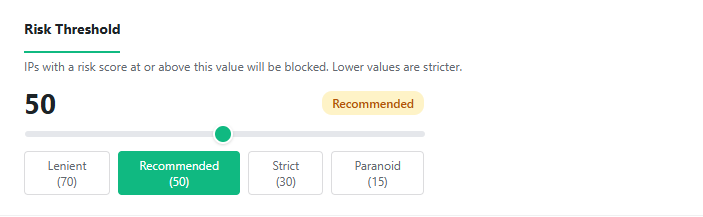
Lower number = stricter (blocks more visitors).
Presets
- Lenient (70) — only blocks clearly high-risk IPs. Fewest false positives.
- Recommended (50) — balanced. A good default for most sites.
- Strict (30) — blocks more aggressively.
- Paranoid (15) — blocks almost anything suspicious. Expect some legitimate visitors to be caught.
How to choose
Start on Recommended (50). If real customers get blocked, move toward Lenient. If too much bad traffic gets through, move toward Strict. You can also watch the Threat Log first using Monitor mode.
Blocking legitimate visitors? See It's blocking real visitors.