WordPress Security
Choose what to protect (Protected Areas)
What Login, Registration, Comment protection and Visitor Screening do — and why Visitor Screening must be on to screen browsing visitors.
"Protected Areas" decides where Predax checks visitor IPs. You find it under Settings → Protection → Protected Areas.
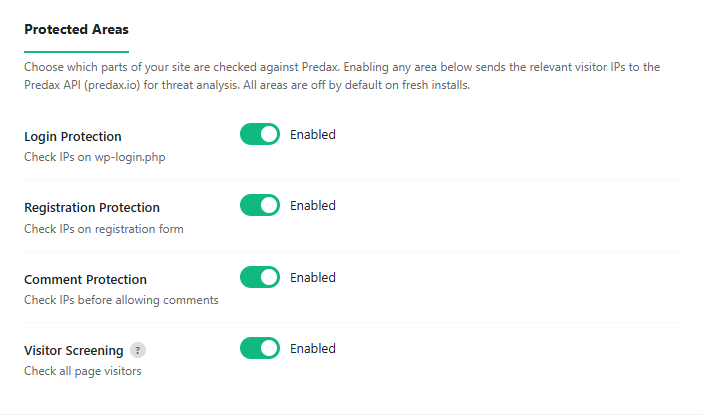
The four areas
- Login Protection — check IPs on
wp-login.php. - Registration Protection — check IPs on the registration form.
- Comment Protection — check IPs before allowing comments.
- Visitor Screening — check all page visitors, not just the forms above. Results are cached for 1 hour to keep API usage low.
Important: turn on Visitor Screening to screen browsing visitors
On a fresh install, everything here is off by default. If you only enable Login/Registration/Comment protection, Predax will only check those forms — someone simply browsing your site is not checked.
So if you want to block a VPN/proxy visitor who is just viewing pages, you must turn on Visitor Screening. This is the single most common reason people think "blocking isn't working".
Tip: enable Visitor Screening on high-traffic or frequently-attacked sites. If you only care about protecting the login page, you can leave it off.